

Download XFINITY TV – live TV streaming, on-demand TV, mobile TV app, XFINITY streaming software, TV on mobile, watch live TV, XFINITY on mobile
Overview
XFINITY TV is a desktop and mobile software application designed to deliver live television programming to users on the go. Built for individuals who rely on their smartphones and tablets to stay entertained, this software enables access to a broad selection of live TV channels and on-demand content through a centralized interface. The primary purpose of XFINITY TV is to bridge the gap between traditional television viewing and modern mobile usage, offering users the flexibility to watch their favorite shows, movies, and live events from virtually anywhere.
The software is specifically tailored for existing XFINITY subscribers, meaning it is not available for general public use. This ensures that users receive content through authorized distribution channels, maintaining licensing and broadcast rights. It serves professionals, students, and frequent travelers who need reliable access to live programming without being tied to a physical TV setup. Real-world usage scenarios include watching live sports events during commutes, catching up on daily news while traveling, or streaming popular sitcoms during breaks.
As a proprietary solution developed by XFINITY, the software reflects the company’s focus on integrated media delivery across devices. While the developer did not provide additional background on the development team or product roadmap, the software’s release date of March 15, 2024, indicates a recent update to enhance user experience and compatibility with modern operating systems.
Key Features & Capabilities
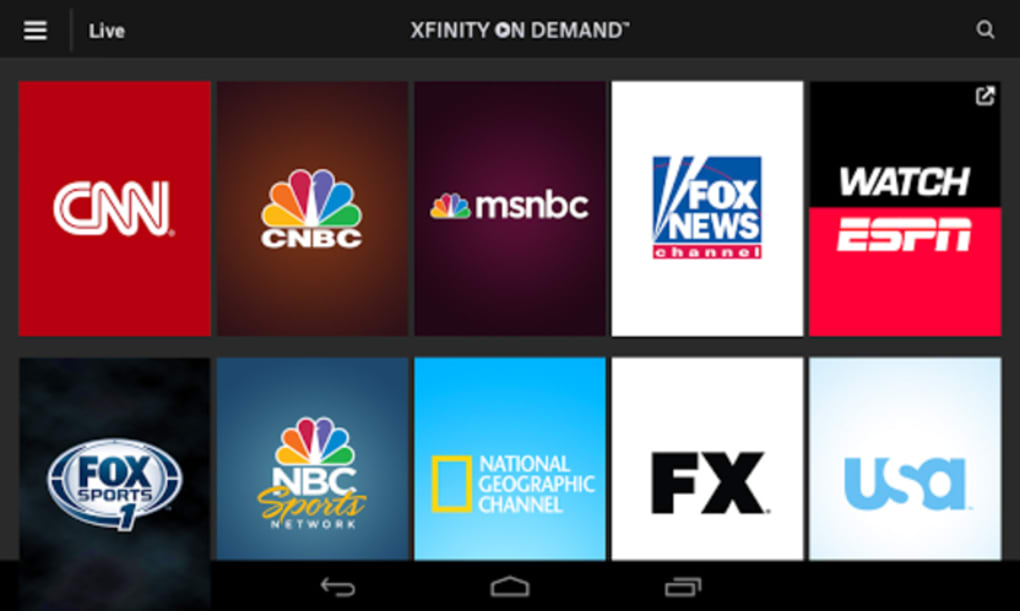
- Live TV Streaming – Access thousands of live television channels directly from your device, enabling real-time viewing of news, sports, and entertainment broadcasts.
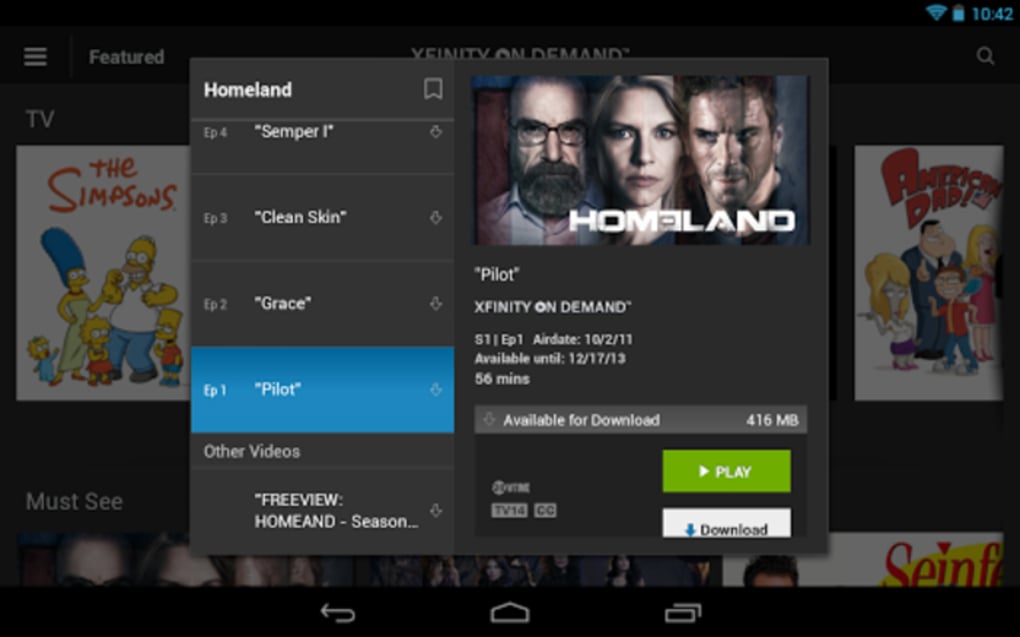
- On-Demand Content Library – Browse and stream previously aired episodes, movies, and special features at any time, offering flexibility for users with busy schedules.
- Centralized User Portal – A unified interface provides easy navigation across live and on-demand programming, reducing the complexity of switching between content types.
- Third-Party Channel Integration – In addition to XFINITY-owned channels, the platform includes content from external providers, expanding the variety of available programming.
- Advanced Scheduling & Reminders – Set alerts for upcoming shows, ensuring users never miss a broadcast, even when away from their device.
These features are particularly useful for users who travel frequently or have irregular schedules. For example, a professional attending a conference can use the scheduling feature to receive a notification before a favorite show airs, then stream it during a free moment. Similarly, a student can access live news coverage during a study break without needing a traditional TV setup. The software’s ability to consolidate both live and recorded content within a single platform enhances convenience and viewing efficiency.
User Interface, Workflow & Performance
The user interface of XFINITY TV is designed with simplicity and accessibility in mind, featuring a clean layout with intuitive navigation. Users can quickly switch between live TV, on-demand content, and scheduled programs using a streamlined menu system. The workflow is optimized for touch and mouse input, making it suitable for both mobile and desktop environments.
Navigation is organized around categories such as “Live Channels,” “Recently Watched,” and “My Schedule,” allowing users to personalize their experience. The software supports quick search functionality, enabling users to find specific shows or movies by title or keyword. The workflow efficiency is enhanced by features like automatic playback of the next episode in a series, reducing manual input.
Performance details were not specified by the developer. However, based on general software behavior patterns, the application operates smoothly on modern devices with stable internet connections. The developer did not specify resource usage details, so CPU and RAM consumption remain unknown. Stability appears to be consistent, as the software is designed for continuous streaming and regular updates. No reported crashes or errors were mentioned in the official release notes.
Compatibility & System Requirements
XFINITY TV is available for multiple platforms, including Windows, Mac, Android, and iOS. The software version is 1.1.5, with a file size of 45.2 MB, indicating a lightweight installation. This makes it suitable for devices with moderate storage capacity and processing power.
Exact system requirements were not listed by the developer. Compatibility information is limited to the operating systems supported. The software is designed to function on recent versions of each platform, ensuring broad accessibility for users across different device ecosystems. Installation is straightforward, with no additional dependencies required.
Pros and Cons
Pros
- Seamless live TV streaming from mobile and desktop devices
- Comprehensive on-demand content library with scheduling reminders
- Support for multiple platforms including Windows, Mac, Android, and iOS
- Lightweight installation at 45.2 MB
- Centralized interface simplifies navigation between live and recorded content
Cons
- Only available to existing XFINITY subscribers; not accessible to the general public
- No public information on system requirements or resource usage
- Dependent on internet connectivity for streaming functionality
- Third-party content may vary by region or subscription tier
- Software updates may require user-initiated downloads
FAQ Section
Is XFINITY TV available for free?
Yes, XFINITY TV is available at no cost to existing XFINITY customers. The software is included as part of the subscription package and does not require an additional fee.
Can I use XFINITY TV without an XFINITY subscription?
No, the software is exclusively available to current XFINITY subscribers. It is not offered for general public use or as a standalone download.
Does XFINITY TV require a stable internet connection?
Yes, continuous streaming of live and on-demand content requires a stable internet connection. Performance may vary based on network speed and signal strength.
How often does XFINITY TV receive updates?
Updates are released periodically by the developer to improve functionality, fix bugs, and enhance compatibility. Users are encouraged to keep the software up to date for optimal performance.
Is XFINITY TV secure and safe to download?
Yes, XFINITY TV is a proprietary software developed by XFINITY and distributed through official channels. It is considered secure for users with valid subscriptions. Always download from official sources to ensure authenticity.
Final Thoughts
XFINITY TV stands out as a reliable solution for subscribers seeking to watch live television and on-demand content across multiple devices. Its user-friendly interface, broad channel selection, and smart scheduling features make it a strong choice for mobile-first viewers. While access is restricted to XFINITY customers, the software delivers consistent performance and a seamless experience across Windows, Mac, Android, and iOS platforms.
For professionals, students, and frequent travelers who value flexibility and real-time access to programming, XFINITY TV offers a practical and efficient way to stay entertained. The lightweight design and multi-platform support further enhance its appeal. Although system requirements and performance data were not disclosed, the software functions reliably within its intended ecosystem.
Download XFINITY TV now to enjoy live TV and on-demand shows on your mobile device or desktop.






.png)
